


1、子比主题美化 – 文章顶部/底部添加自定义内容按钮样式
美化简介
默认只有四个按钮,可以自定义文字和跳转地址,也可自己增加更多按钮
效果图
![图片[1]-子比主题美化 – 文章顶部/底部添加自定义内容按钮样式](https://oss.xkzhi.cn/befer/2024/10/20241020074932505-20241014031637272-20241013191637465648.gif)
代码教程:
将下面的代码放到:Zibll主题设置 – 文章内页 – 文章插入内容,前后自己选择,然后自行修改 文字/链接/图片等内容即可
<style>
    .hoayue_button_container {
        display: flex;
        flex-wrap: wrap;
        justify-content: center;
        gap: 15px;
        padding: 20px 0;
        width: 100%;
        box-sizing: border-box;
    }

    .hoayue_button_block {
        display: flex;
        align-items: center;
        justify-content: center;
        padding: 8px 16px;
        font-weight: 500;
        border-radius: 6px;
        cursor: pointer;
        transition: all 0.3s ease;
        color: #333;
        text-align: center;
        user-select: none;
        background: #f2f2f2;
        box-shadow: 0 4px 6px rgba(0, 0, 0, 0.1);
        border: 1px solid #ddd;
        text-decoration: none;
        gap: 6px;
        text-decoration: none;
        flex: 1 0 22%;
        box-sizing: border-box;
    }

    .hoayue_button_block:hover {
        background: #e0e0e0;
        transform: translateY(-2px);
        box-shadow: 0 6px 8px rgba(0, 0, 0, 0.15);
    }

    .hoayue_button_icon {
        width: 18px;
        height: 18px;
    }

    @media (min-width: 1025px) {
        .hoayue_button_container {
            justify-content: space-between;
        }
        .hoayue_button_block {
            flex: 1 0 calc(25% - 20px);
            max-width: 23%;
            font-size: 14px;
            padding: 6px 14px;
        }
        .hoayue_button_icon {
            width: 16px;
            height: 16px;
        }
    }

    @media (min-width: 768px) and (max-width: 1024px) {
        .hoayue_button_block {
            flex: 1 0 calc(25% - 20px);
            max-width: 23%;
            font-size: 16px;
            padding: 8px 16px;
        }
        .hoayue_button_icon {
            width: 18px;
            height: 18px;
        }
    }

    @media (max-width: 767px) {
        .hoayue_button_block {
            flex: 1 0 calc(50% - 10px);
            font-size: 14px;
            padding: 8px 14px;
        }
        .hoayue_button_icon {
            width: 16px;
            height: 16px;
        }
    }
</style>
<div class="hoayue_button_container">

    <a href="/" rel="external nofollow"  rel="external nofollow"  rel="external nofollow"  rel="external nofollow"  class="hoayue_button_block" target="_blank" rel="noopener noreferrer">
        <img src="https://img.alicdn.com/imgextra/i4/2210123621994/O1CN01b50zA11QbIknUHkm8_!!2210123621994.png" alt="加入QQ群图标" class="hoayue_button_icon" /> <!-- 图标替换为图片 -->
        加入QQ群
    </a>
    <a href="/" rel="external nofollow"  rel="external nofollow"  rel="external nofollow"  rel="external nofollow"  class="hoayue_button_block" target="_blank" rel="noopener noreferrer">
        <img src="https://img.alicdn.com/imgextra/i1/2210123621994/O1CN01pj4Erv1QbIknUIxf0_!!2210123621994.png" alt="微信公众号图标" class="hoayue_button_icon" /> <!-- 图标替换为图片 -->
        关注微信公众号
    </a>
    <a href="/" rel="external nofollow"  rel="external nofollow"  rel="external nofollow"  rel="external nofollow"  class="hoayue_button_block" target="_blank" rel="noopener noreferrer">
        <img src="https://img.alicdn.com/imgextra/i2/2210123621994/O1CN011LMFn11QbIknUHgg4_!!2210123621994.png" alt="联系我们图标" class="hoayue_button_icon" /> <!-- 联系我们图标 -->
        联系我们
    </a>
    <a href="/" rel="external nofollow"  rel="external nofollow"  rel="external nofollow"  rel="external nofollow"  class="hoayue_button_block" target="_blank" rel="noopener noreferrer">
        <img src="https://img.alicdn.com/imgextra/i1/2210123621994/O1CN014mUJD21QbIklklc6g_!!2210123621994.png" alt="请求更新图标" class="hoayue_button_icon" /> <!-- 图标替换为图片 -->
        请求更新
    </a>
</div>
2、夸一夸插件
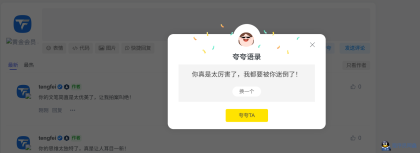
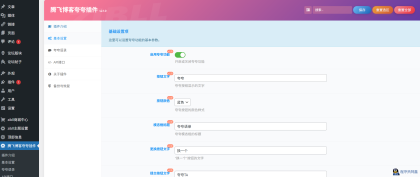
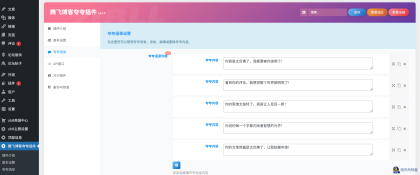
给子比主题评论的地方加一个夸一夸的插件,非常的快捷方便,方便的可以使用,快速插入到子比主题评论区并且自动发送评论,非常方便
文件下载:
3、AI自动评论回复
AI 自动评论回复插件,它能在用户发表评论后,自动调用 AI 生成贴合语境的回复,并以指定用户身份发布,让每一条评论都得到恰到好处的回应
![[WP]插件,AI自动评论回复,对游客客户友好评论-程序员阿鑫-带你一起秃头-第1张图片](https://www.cxyax.com/content/uploadfile/202508/thum-d2b51755565621.png)
插件核心价值:用 AI 赋能评论互动
这款插件的核心优势在于将 AI 的自然语言处理能力与评论管理场景深度结合,解决三大运营痛点:
- 回复及时性:用户评论发布后立即触发 AI 回复,无需人工等待
- 内容相关性:基于评论内容生成针对性回复,避免模板化套话
- 身份灵活性:可指定任意现有用户 ID 发布回复,保持品牌人设统一
无论是个人博客、企业官网还是内容平台,都能通过它提升评论区活跃度,同时减轻运营负担
![[WP]插件,AI自动评论回复,对游客客户友好评论-程序员阿鑫-带你一起秃头-第2张图片](https://www.cxyax.com/content/uploadfile/202508/thum-d2b51755565610.png)
另外 本插件免费开源,接口免费注册 四大接口免费调用 各位可以试试
文件下载:
4、子比主题美化 – 拦截灌水评论正则验证代码
介绍
最近都能看到垃圾评论,纯英文有些还附带网址,现在每天几条虽然不多,但以后很难说。每次都要到后台删也是很麻烦的,又不喜欢装插件,就给子比加个正则验证吧,限制评论纯数字/纯英文/纯表情
![图片[1]-子比主题美化 – 拦截灌水评论正则验证代码](https://oss.xkzhi.cn/befer/2024/05/20240525143512532-image.png)
![图片[2]-子比主题美化 – 拦截灌水评论正则验证代码](https://oss.xkzhi.cn/befer/2024/05/20240525143535181-image.png)
教程
将代码放到/wp-content/themes/zibll/func.php或者/wp-content/themes/zibll/functions.php文件即可。注意 此方法评论必须带中文 禁止了纯数字、纯字母和纯表情。
//屏蔽纯英文评论
function refused_english_comments($incoming_comment) {
    // 获取评论内容
    $comment_content = $incoming_comment['comment_content'];

    // 去除评论内容中的 [g=xxx] xxx为任意字符串
    $comment_content = preg_replace('/\[g=[^\]]*\]/', '', $comment_content);

    // 检查评论内容是否为空
    if (empty($comment_content)) {
        wp_die('{"error":1,"ys":"danger","msg":"评论不能是纯表情内容 <br/>Comments cannot be purely emoji content"}');
    }

    // 检查评论内容是否包含中文
    $pattern = '/[一-龥]/u';

    // 禁止全英文评论
    if (!preg_match($pattern, $comment_content)) {
        wp_die('{"error":1,"ys":"danger","msg":"评论必须包括中文 <br/>Comments must include Chinese"}');
    }

    return $incoming_comment;
}

add_filter('preprocess_comment', 'refused_english_comments');
© 版权声明
1、本网站名称:春眠不觉晓
2、本站永久网址:https://www.qlwq.cc
3、本站文章内容可能来源于网络,仅供大家学习与参考,如有侵权,请联系Q/V:775182000。
4、本站一切资源不代表本站立场,并不代表本站赞同其观点和对其真实性负责。
5、本站一律禁止以任何方式发布或转载任何违法的相关信息,访客发现请向站长举报。
6、本站资源大多存储在云盘,如发现链接失效,请告诉我们,我们会第一时间更新。
THE END








暂无评论内容